Messages
REQUIREMENT & PERMISSIONS
User should have messaging enabled for their organization.
Documentation
The Messages page lets you view and manage all your direct messages, private channels, and public channels in one place.
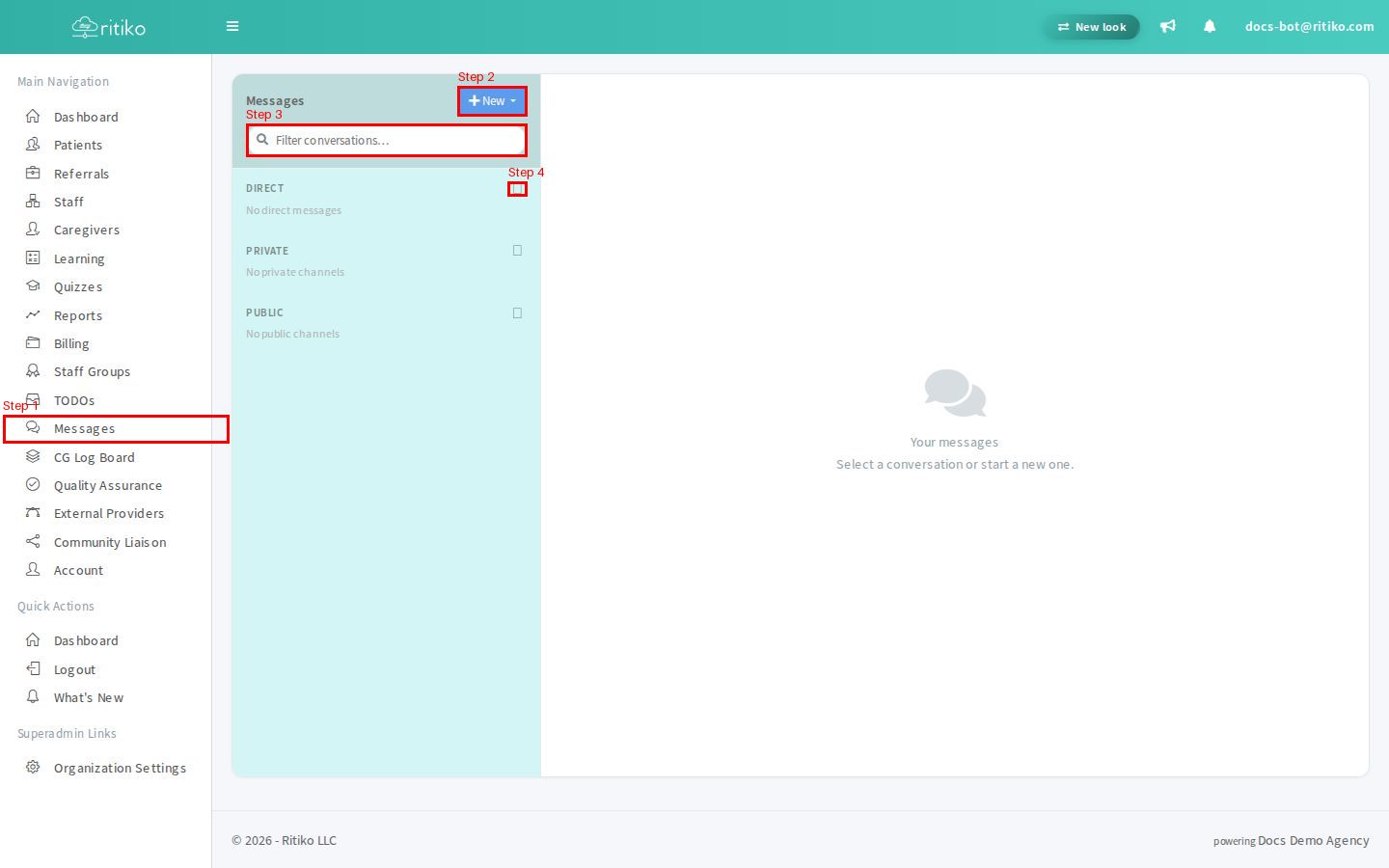
- In your Navigation Menu, click on Messages.
- Click the + New button to open the new conversation menu.
- Enter a name in the Filter conversations… search box to quickly find an existing conversation.
- Click the + button next to Direct, Private, or Public to start a new conversation in that category.
- Click on any conversation in the list to open it in the message thread pane on the right. The conversation will display all messages and allow you to reply.