
Assigning a Caregiver to an Event
REQUIREMENT & PERMISSIONS
User should have Can schedule events and Can view patient schedules permission.
Documentation
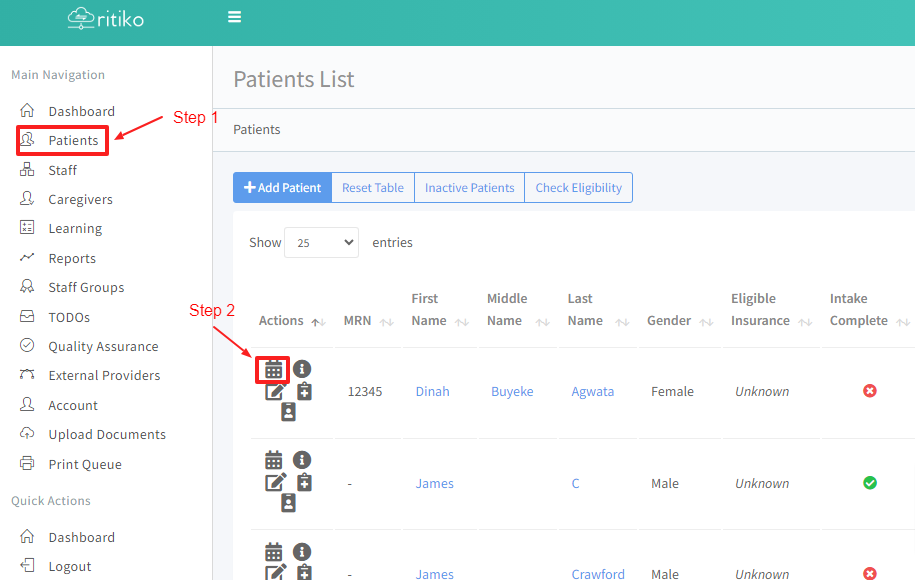
Under your main navigation sidebar, click on PATIENTS.
Click on a patient's CALENDER.
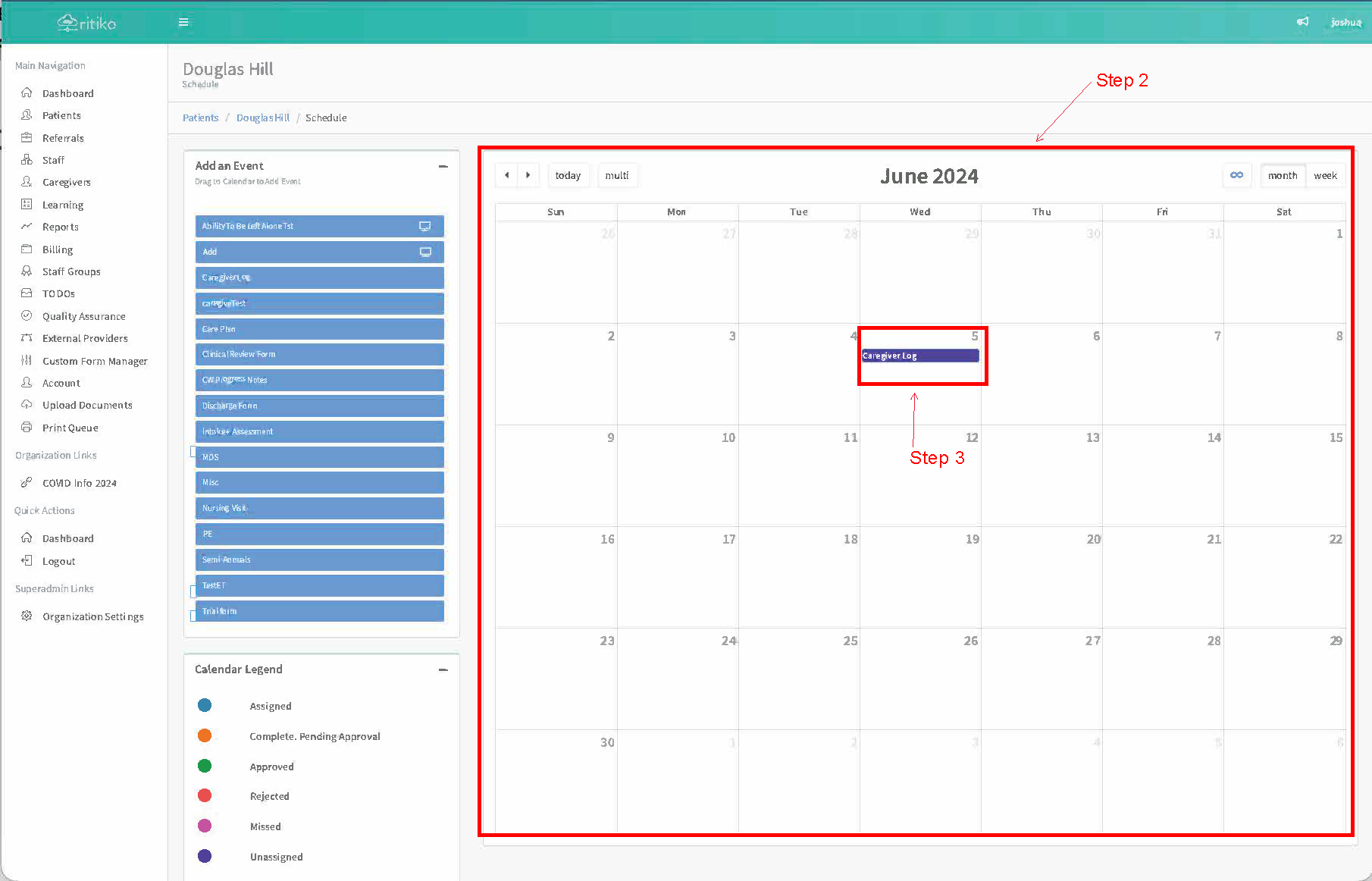
- Create or click on an existing EVENT.
- Click on the ASSIGN TO drop down.
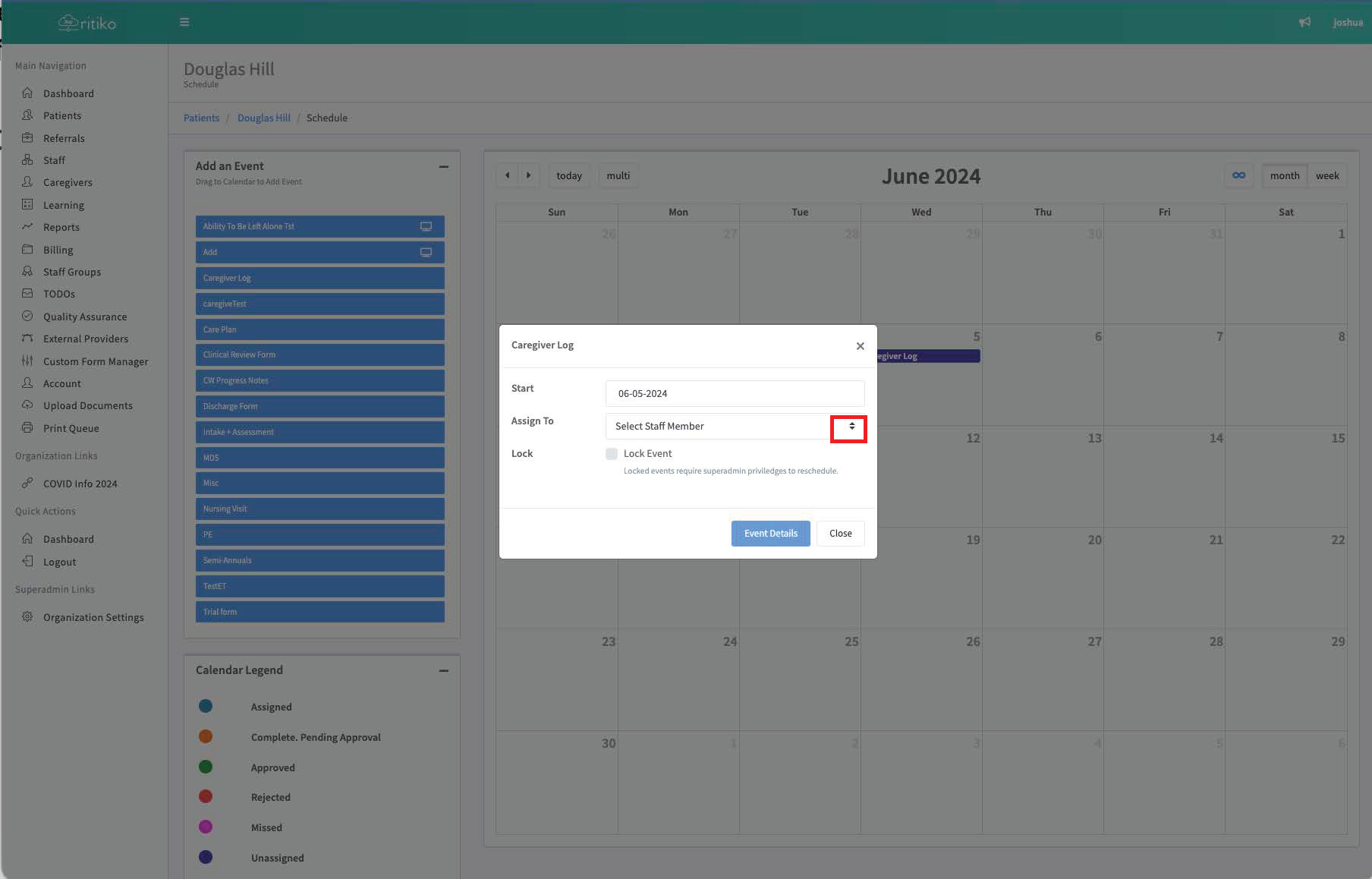
Choose an assignee.
Click on CLOSE.
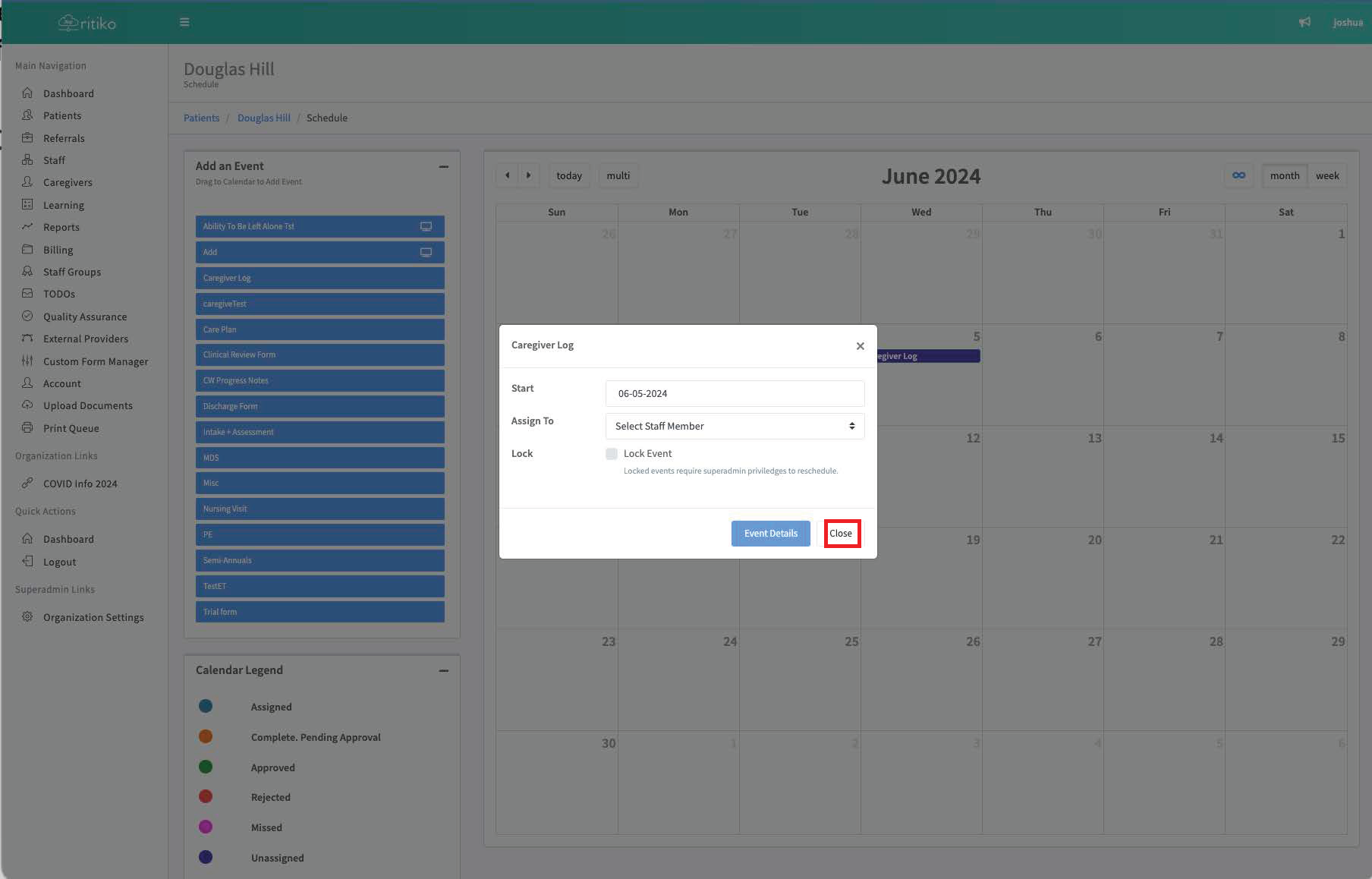
- You have successfully assigned.